




Introduction (Password Managers for OPSEC)
Operational Security (OPSEC) demands that you control every piece of information that could be used against you. Your passwords are a critical part of that. A password manager is essential for generating and storing strong, unique passwords. But not all password managers are equal for OPSEC. The biggest decision you face is whether to store your passwords locally on your device or in the cloud. Each approach has tradeoffs in security, convenience, and control. This guide compares the best password managers for OPSEC in 2026, covering local only tools, cloud based options, self hosting, and hybrid approaches. We will also discuss using hardware security keys, master password strategies, and recovery processes.
Also read: Hardware Security Keys vs. Authenticator Apps
Visit worlddumps.site
Why Password Managers Are Essential for Strong OPSEC in 2026
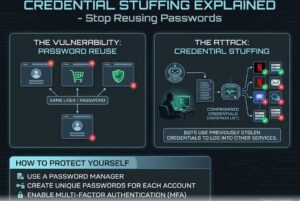
OPSEC is about controlling information that could be used against you. Using the same password across multiple sites is a major OPSEC failure. A data breach on one site exposes all your accounts. A password manager solves this by generating and storing strong, unique passwords for every account. It also helps you avoid password reuse, which is the most common security mistake.
Local Storage vs. Cloud Storage: The Fundamental OPSEC TradeOff (Password Managers for OPSEC)
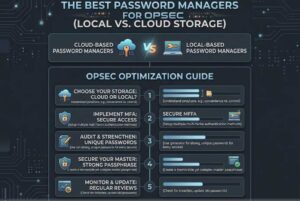
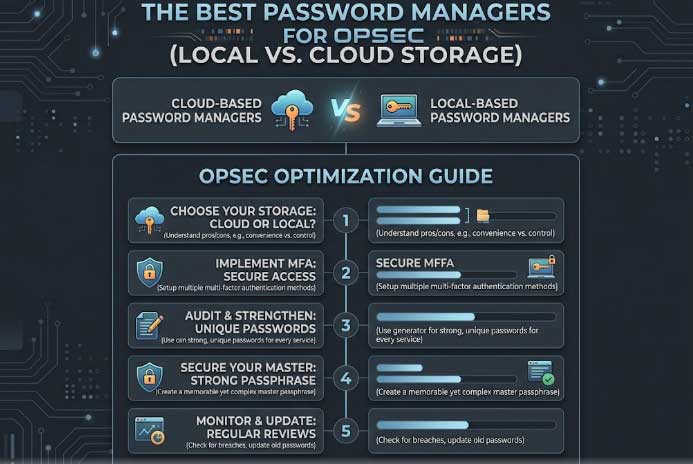
Local storage keeps your password database on your device. No one else has access to it, not even a cloud provider. This gives you maximum control. Cloud storage syncs your database across devices through a providers servers. This offers convenience but introduces risks. The provider could be compromised, subpoenaed, or go out of business. For OPSEC, local storage is generally more secure.
Top Local Only Password Managers for Maximum Privacy
For local storage, the top options are KeePassXC and KeePass. These tools are open source and store your data in an encrypted file on your local device. There is no cloud component. You control the file entirely. Other local only options include Password Safe and LessPass.
How KeePassXC and Similar Tools Keep Your Data Completely Offline
KeePassXC stores your passwords in an encrypted database file. This file never leaves your device unless you choose to sync it manually. The encryption is strong, using AES or ChaCha20. You can also use a key file in addition to your master password for extra security.
The Risks of Cloud Password Managers Even with End to End Encryption (Password Managers for OPSEC)
Cloud password managers like Bitwarden and 1Password use end to end encryption. Your data is encrypted before it leaves your device. However, the metadata about when you log in and from where may still be visible to the provider. The provider could also be forced to push a malicious update that compromises your data. These risks are small but real for high security users.
Best Cloud Based Password Managers with Proven No Log Policies
For cloud based options, Bitwarden is the most trusted. It is open source, audited, and offers a zero knowledge architecture. 1Password also has a strong security model. Both have published audit reports. For OPSEC, choose a provider based in a privacy friendly jurisdiction.
Self Hosting Options: Running Your Own Password Sync Server (Password Managers for OPSEC)
Self hosting gives you the convenience of cloud sync without trusting a third party. Tools like Vaultwarden (a self hosted Bitwarden server) allow you to run your own sync server. You control the server and the data. This requires technical skills but offers the best of both worlds.
Why Open Source Code Matters More for OPSEC Than Marketing Claims
Open source code can be reviewed by independent security researchers. This transparency is essential for OPSEC. Closed source tools can hide backdoors or vulnerabilities. Always choose an open source password manager.
Backup and Sync Challenges with Purely Local Storage Solutions (Password Managers for OPSEC)
Local storage requires manual backups. If you lose your device, you lose your passwords. You need to regularly export and store your database in a secure location. This is less convenient than cloud sync but more secure.
Also read: Why SMS Two-Factor Authentication (2FA)
How Cloud Providers Handle Subpoenas and Data Requests
Cloud providers can be forced to hand over data through legal requests. Even with end to end encryption, metadata may be exposed. Choose a provider with a proven track record of resisting subpoenas and a jurisdiction that protects user privacy.
What is OPSEC and How Does It Work?
OPSEC stands for Operational Security. It is a process that identifies critical information, analyzes threats, and implements measures to protect that information. In the context of password managers, OPSEC means choosing a tool that minimizes exposure of your credentials.
What Should I Do If My OPSEC Is Not Working?
If your OPSEC is not working, you may be leaking information through weak passwords, password reuse, or using a password manager that logs data. Audit your current setup, switch to a more secure tool, and implement stronger practices.
How Do I Protect My OPSEC?
Protect your OPSEC by using strong, unique passwords for every account, enabling two factor authentication, and choosing a password manager that does not expose your data to third parties.
What Should I Know Before Defending Against OPSEC?
Before defending against OPSEC, understand your threat model. Who are you protecting against? What information is critical? Choose a password manager that aligns with your specific risks.
Using Hardware Security Keys with Local and Cloud Managers (Password Managers for OPSEC)
Hardware security keys can be used with both local and cloud password managers. They add a second factor that protects your password database. KeePassXC supports hardware keys. Bitwarden supports FIDO2. This is a strong combination for OPSEC.
Master Password Strategies That Actually Hold Up Under Attack
Your master password should be long, random, and unique. Use a passphrase with multiple words. Never reuse it anywhere else. Consider using a hardware key as a second factor to protect your master password.
Real Examples of Cloud Breaches vs. Local Database Compromises (Password Managers for OPSEC)
Cloud breaches have exposed password databases in the past. LastPass suffered a breach in 2022 that exposed encrypted vaults. Local databases are harder to steal because they are not online. However, if your device is compromised, a local database can be stolen.
Mobile Access TradeOffs: Convenience vs. Air Gapped Security
Mobile access to your password manager is convenient but introduces risks. Your phone could be stolen or compromised. For maximum OPSEC, use a dedicated device for password management and keep it air gapped.
Auditing and Verifying the Security of Your Chosen Manager (Password Managers for OPSEC)
Audit your password manager regularly. Check for updates, review audit reports, and verify that your database is properly encrypted. Use tools like the Have I Been Pwned API to check for compromised passwords.
Also read:
Hybrid Approaches: Combining Local Storage with Selective Cloud Sync
Some users combine local storage with selective cloud sync. They keep their most sensitive passwords in a local database and use a cloud manager for less critical accounts. This balances security and convenience.
Cost Analysis: Free Local Tools vs. Paid Cloud Subscriptions (Password Managers for OPSEC)
Local tools like KeePassXC are free. Cloud managers like Bitwarden Premium cost around $10 per year. Self hosting requires server costs. For OPSEC, free local tools are often sufficient.
Common OPSEC Mistakes People Make When Choosing a Password Managers for OPSEC
- Choosing a closed source manager.
- Using a cloud manager without end to end encryption.
- Not enabling two factor authentication.
- Using a weak master password.
- Not backing up a local database.
Setting Up Secure Export and Recovery Processes
Export your password database regularly. Store the export in an encrypted format. Use a recovery key or paper backup. Test the recovery process to ensure you can access your passwords if needed.
Common Mistakes Beginners Make on Password Managers for OPSEC
- Using the same password for everything.
- Choosing a password manager without research.
- Not enabling 2FA.
- Ignoring open source requirements.
- Not backing up.
Pro Tips for Maximum OPSEC
- Use KeePassXC for local storage.
- Use Bitwarden for cloud sync with end to end encryption.
- Enable hardware key support.
- Use a strong passphrase for your master password.
- Back up your database regularly.
Expert Insights on Password Managers for OPSEC Security
Security experts recommend KeePassXC for users who want maximum control. Bitwarden is the best cloud option for most users. Self hosting is ideal for advanced users.
Real World Applications
Password managers are used by security professionals, journalists, and anyone who wants to protect their accounts.
Actionable Takeaways on Password Managers for OPSEC
- Choose an open source password manager.
- Use local storage for critical passwords.
- Enable two factor authentication.
- Back up your database.
- Use Worlddumps.site for additional privacy tools.
Summary
The best password manager for OPSEC depends on your threat model. Local storage offers maximum control. Cloud storage offers convenience. Self hosting combines both. Choose based on your specific needs.
Conclusion of Password Managers for OPSEC
Your passwords are the keys to your digital life. Protect them with a password manager that aligns with your OPSEC requirements.
Call to Action: Visit Worlddumps.site to get Non VBV BINs or clonecards.store to get clone cards, legit dumps with pin and carding materials. Also visit cvvdump.uno to get money swift money transfer service which includes bank transfer, PayPal, CashApp, Venmo, Zelle, and Western Union transfers.
FAQ on Password Managers for OPSEC
What is the best password manager for OPSEC? KeePassXC is the best for local storage. Bitwarden is the best for cloud storage with end to end encryption.
Is cloud storage secure for password managers? Yes, if the provider uses zero knowledge encryption and is open source. Bitwarden and 1Password are good options.
Can I use a hardware key with a password manager? Yes, both KeePassXC and Bitwarden support hardware security keys.
What is self hosting? Self hosting your own sync server using Vaultwarden gives you control over your data.
What is the best password manager for OPSEC in 2026? KeePassXC for local storage, Bitwarden for cloud storage.
What is OPSEC? OPSEC stands for Operational Security, a process that protects critical information.
What should I do if my OPSEC is not working? Audit your setup, switch to a more secure tool, and implement stronger practices.
How do I protect my OPSEC? Use strong unique passwords, enable 2FA, and choose a secure password manager.
What should I know before defending against OPSEC? Understand your threat model and choose tools accordingly.
What is the best free password manager? KeePassXC is the best free local option. Bitwarden is the best free cloud option.


