






Introduction (How to Stop Unwanted Calls)
Unwanted calls are a daily annoyance for millions of people. Whether it is a robocall about your car’s extended warranty or a telemarketer selling something you never asked for, these interruptions waste your time and can even lead to scams. The National Do Not Call Registry is a free tool designed to stop these calls. But many people register and still get spam. This guide will explain exactly what the Do Not Call Registry is, how to register, why you might still get calls, and what additional steps you can take to protect yourself in 2026.
Also read: Signal vs. Telegram 2026
Visit worlddumps.site
What is the National Do Not Call Registry?
The National Do Not Call Registry is a database managed by the Federal Trade Commission (FTC) that allows consumers to opt out of telemarketing calls. When you register your number, telemarketers are legally required to remove it from their call lists. The registry covers both landlines and cell phones. It is free to register and your number stays on the list indefinitely.
How to Register Your Phone Number in Minutes (How to Stop Unwanted Calls)
Registering is simple. You can do it online or by phone. The process takes less than two minutes. You need to provide the phone number you want to register. You can register up to three numbers at a time.
Step by Step Guide to Signing Up Online
- Go to the official Do Not Call website at donotcall.gov.
- Click on “Register Your Phone Number.”
- Enter the phone number you want to register.
- Provide your email address for confirmation.
- Check your email and click the confirmation link.
- Your number is now registered.
You will receive a confirmation email once the registration is complete.
Registering by Phone: What You Need to Know on How to Stop Unwanted Calls
If you prefer to register by phone, call 1 888 382 1222 from the number you want to register. You will hear a confirmation message. This method is just as effective as online registration.
How Long Does Do Not Call Registration Last?
Registration does not expire. Your number stays on the list indefinitely. However, if you change your number, you need to register the new one. You can also remove your number from the list at any time.
Which Calls Are Covered (and Which Ones Aren’t)
The registry covers telemarketing calls from companies you have not done business with. It does not cover:
- Calls from companies you have done business with in the past 18 months.
- Calls from charities.
- Calls from political organizations.
- Calls from surveyors.
- Calls from debt collectors.
These entities are exempt from the Do Not Call rules.
The Reality Check: Why You Still Get Spam Calls
Many people register and still receive unwanted calls. This is because scammers and illegal telemarketers ignore the registry. They operate from overseas and use spoofed numbers. The registry is effective against legitimate telemarketers but not against criminals.
Common Reasons You’re Still Getting Unwanted Calls on How to Stop Unwanted Calls
- Scammers ignore the law.
- Your number may have been sold to multiple lists.
- Robocallers use automated dialing systems.
- Your number may be on a public directory.
- You may have given permission to a company without realizing it.
How to Report Violations to the FTC, How to Stop Unwanted Calls
If you receive a call from a telemarketer after registering, you can file a complaint with the FTC. Go to donotcall.gov and click on “Report Unwanted Calls.” Provide the date, time, and phone number of the caller. The FTC uses these reports to investigate and take action.
Understanding Robocalls and Pre recorded Messages
Robocalls are automated calls that deliver a pre recorded message. Many robocalls are illegal. The FTC has strict rules about robocalls. You cannot receive a robocall without your prior written consent. If you receive an illegal robocall, report it to the FTC.
The Difference Between Legitimate Telemarketing and Illegal Calls on How to Stop Unwanted Calls
Legitimate telemarketers follow the Do Not Call rules. They identify themselves, provide a callback number, and do not call numbers on the registry. Illegal callers hide their identity, use spoofed numbers, and ignore the registry. The difference is often clear.
Layers of Defense: Beyond the Registry
The registry is just one layer of defense. To stop more unwanted calls, you need additional tools. These include phone features, third party apps, and call blocking services. How to Stop Unwanted Calls.
Using the Registry Together With Your Phone’s Built in Tools
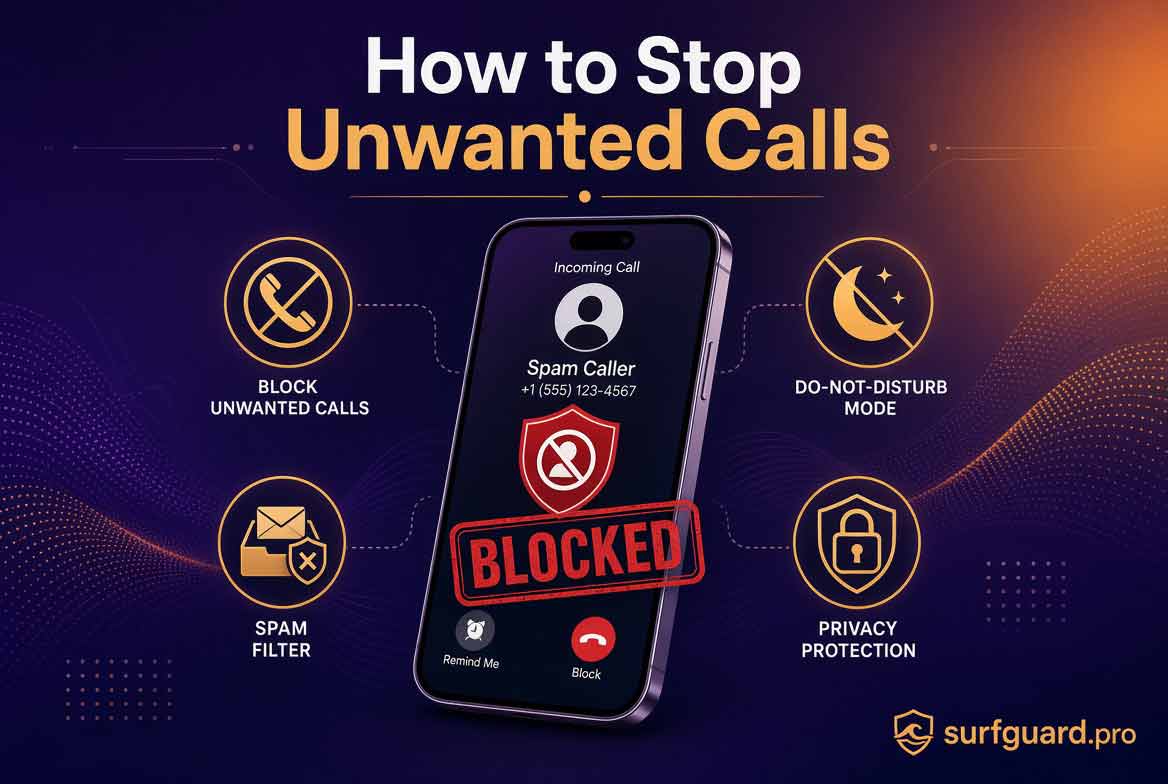
Most smartphones have built in call blocking features. On iPhone, you can silence unknown callers. On Android, you can block spam calls. These features work with the registry to reduce unwanted calls.
Third Party Apps That Help Block Spam Calls on How to Stop Unwanted Calls
Several third party apps can block spam calls. Popular options include:
- Hiya
- Truecaller
- RoboKiller
- Nomorobo
These apps use databases of known spam numbers and community reporting to block calls.
How to Stop Calls From Specific Numbers Even After Registration (How to Stop Unwanted Calls)
Even after registration, you may receive calls from specific numbers. You can block these numbers manually on your phone. Most phones have a “Block this Caller” option. You can also add numbers to a block list.
Protecting Landlines, Cell Phones, and VoIP Numbers
The registry covers all types of phone numbers. Landlines, cell phones, and VoIP numbers can all be registered. The same rules apply. However, VoIP numbers may be more vulnerable to spoofing.
What to Do If a Company Ignores the Registry
If a company ignores the registry, report them to the FTC. You can also file a complaint with your state’s attorney general. In some cases, you may be able to sue the company for violating telemarketing laws.
Common Mistakes People Make on How to Stop Unwanted Calls
- Not registering all their numbers.
- Forgetting to register after changing numbers.
- Not reporting violations.
- Relying solely on the registry.
- Giving out their number to unknown companies.
Pro Tips for Maximum Protection
- Register all your numbers.
- Use call blocking apps.
- Report every violation.
- Never answer calls from unknown numbers.
- Use a separate number for online forms.
- Enable “Do Not Disturb” mode.
How to Stop Unwanted Calls: Expert Insights on Call Blocking
Experts recommend a multi layered approach. The registry is effective against legitimate telemarketers, but you need additional tools for scammers. Combining the registry with call blocking apps and phone features provides the best protection.
Real World Applications on How to Stop Unwanted Calls
People use the registry to reduce unwanted calls in their daily lives. It is especially useful for seniors who are often targeted by scammers. Combining the registry with other tools creates a strong defense.
Actionable Takeaways
- Register your number on donotcall.gov.
- Use call blocking apps.
- Report violations to the FTC.
- Block specific numbers on your phone.
- Enable built in spam filters.
Summary of How to Stop Unwanted Calls
The National Do Not Call Registry is a useful tool for stopping unwanted calls from legitimate telemarketers. However, it is not enough to stop scammers. You need additional layers of defense, including call blocking apps and phone features. By combining these tools, you can significantly reduce the number of unwanted calls you receive.
Conclusion of How to Stop Unwanted Calls
Unwanted calls are a nuisance, but you can take action. Register your number, use call blocking tools, and report violations. With the right approach, you can enjoy a quieter phone.
Call to Action: Visit Worlddumps.site to get Non VBV BINs or clonecards.store to get clone cards, legit dumps with pin and carding materials. Also visit cvvdump.uno to get money swift money transfer service which includes bank transfer, PayPal, CashApp, Venmo, Zelle, and Western Union transfers.
Also read: What is Telegram Used For?
FAQ on How to Stop Unwanted Calls
What is the National Do Not Call Registry? It is a free database that allows consumers to opt out of telemarketing calls.
How do I register my number? Go to donotcall.gov or call 1 888 382 1222.
How long does registration last? Registration is permanent. You do not need to renew.
Does the registry stop all unwanted calls? No. It stops calls from legitimate telemarketers but not from scammers.
What calls are not covered? Calls from charities, political groups, surveyors, debt collectors, and companies you have done business with.
Why am I still getting calls after registering? Scammers ignore the registry. You need additional tools to stop them.
How do I report a violation? Go to donotcall.gov and click “Report Unwanted Calls.”
Can I block calls on my phone? Yes. Most smartphones have built in call blocking features.
What are the best call blocking apps? Hiya, Truecaller, RoboKiller, and Nomorobo are popular options.
Does the registry cover cell phones? Yes. Both landlines and cell phones are covered.
Featured Image Details
- Alt Text: National Do Not Call Registry guide stop unwanted calls 2026
- Caption: The complete guide to the National Do Not Call Registry and how to stop unwanted calls.
- Description: A professional infographic showing the steps to register on the Do Not Call Registry, common reasons for continued calls, and additional layers of defense including call blocking apps and phone features. Includes logos of Worlddumps.site, Buyccfullz.site, Clonecards.store, and Cvvdump.uno.


