







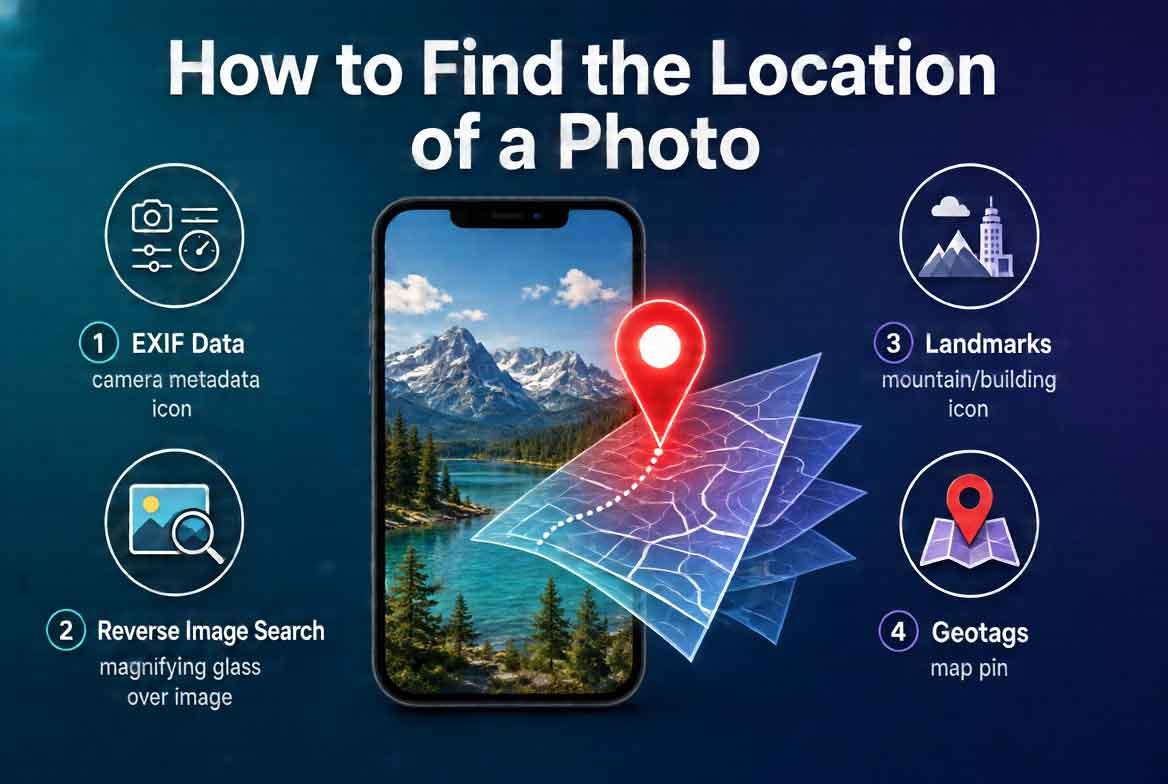
Introduction (How to Find the Location of a Photo)
Every photo tells a story. But sometimes the most important part of that story is missing: where it was taken. Whether you are a journalist verifying an image, a traveler trying to remember a spot, or a security researcher tracking down a lead, knowing how to find the location of a photo can be a game changer.
In this guide, we will walk you through three powerful methods to geolocate any image. You will learn how to use GeoSpy.ai, Google Lens, and EXIF data to pinpoint exactly where a picture was captured. We will compare each tool, explain when to use which, and give you actionable steps to get results fast.
By the end of this article, you will not only know how to find the location of a photo but also understand the strengths and limits of each approach. Let’s get started.
1. What Is Photo Geolocation and Why It Matters (How to Find the Location of a Photo)
Photo geolocation is the process of determining the physical location where an image was captured. This can be done using embedded metadata, visual clues in the image, or AI powered analysis.
Why is this useful? For starters, it helps verify the authenticity of images shared online. Journalists use it to confirm breaking news. Law enforcement uses it to track down suspects. Even everyday users use it to find out where a stunning vacation photo was taken so they can visit the same place.
Geolocation data can come from GPS coordinates stored in the image file, from landmarks and signs visible in the photo, or from matching the image against a database of known locations.
Also read: How to Find Who Owns a Website (Even If It’s “Private”)
2. Method 1: GeoSpy.ai The Magic AI Tool (How to Find the Location of a Photo)
GeoSpy.ai is a cutting edge tool that uses artificial intelligence to estimate the location of any photo. Unlike traditional methods that rely on metadata or visual matching, GeoSpy.ai analyzes the entire scene including vegetation, architecture, road signs, lighting, and soil color to predict where the image was taken.
How does it work? You upload a photo, and the AI compares it against millions of geotagged images from around the world. Within seconds, it returns a probability map showing the most likely locations. The more distinctive the scene, the more accurate the prediction.
GeoSpy.ai is especially useful when a photo has no EXIF data or when the image is of a natural landscape with few landmarks. It works best for outdoor photos with visible environmental features.
Step by Step Guide to Using GeoSpy.ai (How to Find the Location of a Photo)
- Go to the GeoSpy.ai website.
- Upload your photo by clicking the upload button or dragging the image into the interface.
- Wait a few seconds for the AI to process the image.
- Review the location predictions shown on the map.
- Use the confidence score to judge how reliable the result is.
GeoSpy.ai is free to use for basic queries and offers premium plans for higher accuracy and batch processing.
3. Method 2: Google Lens The Visual Match (How to Find the Location of a Photo)
Google Lens is a visual search tool that can identify objects, landmarks, and text within an image. When you use it to find a location, it compares your photo against Google’s massive database of indexed images.
This method works best when the photo contains recognizable landmarks, buildings, signs, or unique natural features. For example, if you have a photo of the Eiffel Tower, Google Lens will immediately tell you it was taken in Paris. But if your photo is of a generic forest or a blank wall, it will struggle.
Step by Step Guide to Using Google Lens
- Open Google Photos or the Google Lens app on your phone.
- Tap the Lens icon and select the photo you want to analyze.
- Google Lens will scan the image and show matching results.
- Look for results that include location information.
- Click on a match to see the exact coordinates or address.
Google Lens is completely free and available on both Android and iOS devices. You can also use it through the Google Chrome browser on desktop.
Also read: How to Find Hidden Data in PDFs & Word Docs
4. Method 3: EXIF Data The Hidden GPS Data
Every time you take a photo with a smartphone or GPS enabled camera, the device can store metadata called EXIF data. This data includes information like the date, time, camera settings, and sometimes GPS coordinates.
If the photographer did not strip the metadata, you can extract the exact latitude and longitude of where the photo was taken. This is the most accurate method but only works if the GPS data is present.
Step by Step Guide to Extracting EXIF Data (How to Find the Location of a Photo)
- Save the photo to your computer or phone.
- Use an EXIF viewer tool like ExifTool, Jeffrey’s EXIF Viewer, or online EXIF data extractors.
- Upload the photo to the tool.
- Look for fields labeled GPS Latitude, GPS Longitude, or GPS Position.
- Copy the coordinates and paste them into Google Maps to see the location.
Note that many social media platforms strip EXIF data when you upload images. So this method only works for original files or images shared on platforms that preserve metadata.
5. Which Tool When A Practical Comparison (How to Find the Location of a Photo)
Not all tools are created equal. Here is a quick breakdown of when to use each one.
Use GeoSpy.ai when:
- The photo has no EXIF data.
- The image shows natural landscapes, vegetation, or environmental features.
- You need a probabilistic location estimate.
- You want to analyze multiple images quickly.
Use Google Lens when:
- The photo contains recognizable landmarks, signs, or text.
- You want to find similar images online for comparison.
- You need a quick visual match.
Use EXIF data when:
- You have the original photo file.
- The photo was taken with a GPS enabled device.
- You need exact coordinates.
- You are working with images that have not been stripped of metadata.
In many cases, you can combine methods. For example, start with EXIF data for accuracy, then use GeoSpy.ai to narrow down results if the metadata is missing.
6. Common Mistakes When Trying to Locate a Photo (How to Find the Location of a Photo)
Many people make avoidable errors when trying to find the location of a photo. Here are the most common ones.
Relying only on one tool. Each tool has strengths and weaknesses. Using only one can lead to inaccurate results.
Ignoring visual clues. Even without tools, you can often find a location by looking at road signs, store names, or unique architecture.
Assuming EXIF data is always present. Many platforms strip metadata, so do not expect GPS coordinates to be available.
Not checking the date. A photo taken years ago may show a location that has changed significantly.
Using low resolution images. Blurry or compressed images reduce the accuracy of both AI tools and visual search.
7. Pro Tips for Accurate Photo Geolocation (How to Find the Location of a Photo)
Here are some advanced tips to improve your success rate.
Cross reference multiple tools. If GeoSpy.ai gives a location, verify it with Google Lens or manual map inspection.
Look for subtle clues. Check for power lines, road markings, vegetation types, and even the angle of sunlight.
Use reverse image search. Upload the photo to Google Images or TinEye to find other copies of the same image with location data.
Check the weather. If the photo shows a specific weather condition, you can compare it with historical weather data for a given area.
Analyze the aspect ratio and quality. Sometimes the camera model can hint at the region where it was commonly used.
8. Expert Insights on Image Forensics (How to Find the Location of a Photo)
Image forensics is a growing field that combines computer vision, machine learning, and traditional investigative techniques. Experts recommend treating every photo as a puzzle. The more pieces you gather, the clearer the picture becomes.
One key insight is that no single method is foolproof. The best approach is to layer multiple techniques. For example, an investigator might start with EXIF data, then use GeoSpy.ai to confirm the region, and finally use Google Lens to identify a specific building.
Another expert tip is to pay attention to image compression artifacts. Heavily compressed images often lose metadata and fine details, making geolocation harder. Always try to obtain the highest quality version of the photo.
9. Real World Applications of Photo Location Finding (How to Find the Location of a Photo)
The ability to find the location of a photo has many practical uses.
Journalism: Verifying the authenticity of user generated content during breaking news events.
Travel: Identifying unknown locations from vacation photos so you can plan your next trip.
Security: Tracking the origin of suspicious images or verifying alibis.
Real Estate: Determining the location of properties shown in photos.
Social Media: Finding out where influencers or friends took their photos.
10. Actionable Takeaways (How to Find the Location of a Photo)
Here is what you should do right now.
- Download an EXIF viewer app or bookmark an online EXIF extractor.
- Bookmark GeoSpy.ai for AI powered location analysis.
- Install Google Lens on your phone for quick visual searches.
- Practice with photos you already know the location of to test accuracy.
- Combine tools for the best results.
11. Summary (How to Find the Location of a Photo)
Finding the location of a photo is easier than ever thanks to modern tools. GeoSpy.ai uses AI to estimate location based on visual features. Google Lens matches your photo against a database of known images. EXIF data provides exact GPS coordinates if available.
Each method has its own strengths. The key is to use the right tool for the right situation and to cross reference results for maximum accuracy. Whether you are a professional investigator or a curious traveler, these techniques will help you uncover the story behind any image.
12. Conclusion (How to Find the Location of a Photo)
Now you have everything you need to find the location of any photo. Start with EXIF data if you have the original file. Use GeoSpy.ai for AI based estimates. And rely on Google Lens for visual matches against known landmarks.
Remember, the best results come from combining these methods. Do not settle for a single answer. Verify, cross check, and dig deeper. The location of a photo is just the beginning of the story.
For those looking to take their OSINT work to the next level, having access to reliable tools and resources makes all the difference. Visit cvvdump.com or Worlddumps.com to get legit dumps with pin and carding materials that complement your archiving toolkit.
Also read: How to View Deleted Websites & Tweets
13. Frequently Asked Questions (How to Find the Location of a Photo)
Can I see where a photo was taken on Google Maps? Yes, if the photo has GPS coordinates embedded in its EXIF data, you can extract them and paste them into Google Maps to see the exact location. Some tools also allow you to view the location directly on a map.
How do I find out if a photo has been geolocated? Check the photo’s EXIF data using an online viewer or desktop software. Look for GPS fields. If they are present, the photo has been geolocated. If not, you will need to use visual analysis or AI tools.
How to find a location from a picture? You have three main options: use GeoSpy.ai for AI analysis, use Google Lens for visual matching, or extract EXIF data for GPS coordinates. Each method works best in different scenarios.
How should I use geolocation data? Use it responsibly. Geolocation data can reveal sensitive information about where someone lives, works, or travels. Only use it for legitimate purposes such as verification, investigation, or personal curiosity. Never share someone’s location without their consent.


