







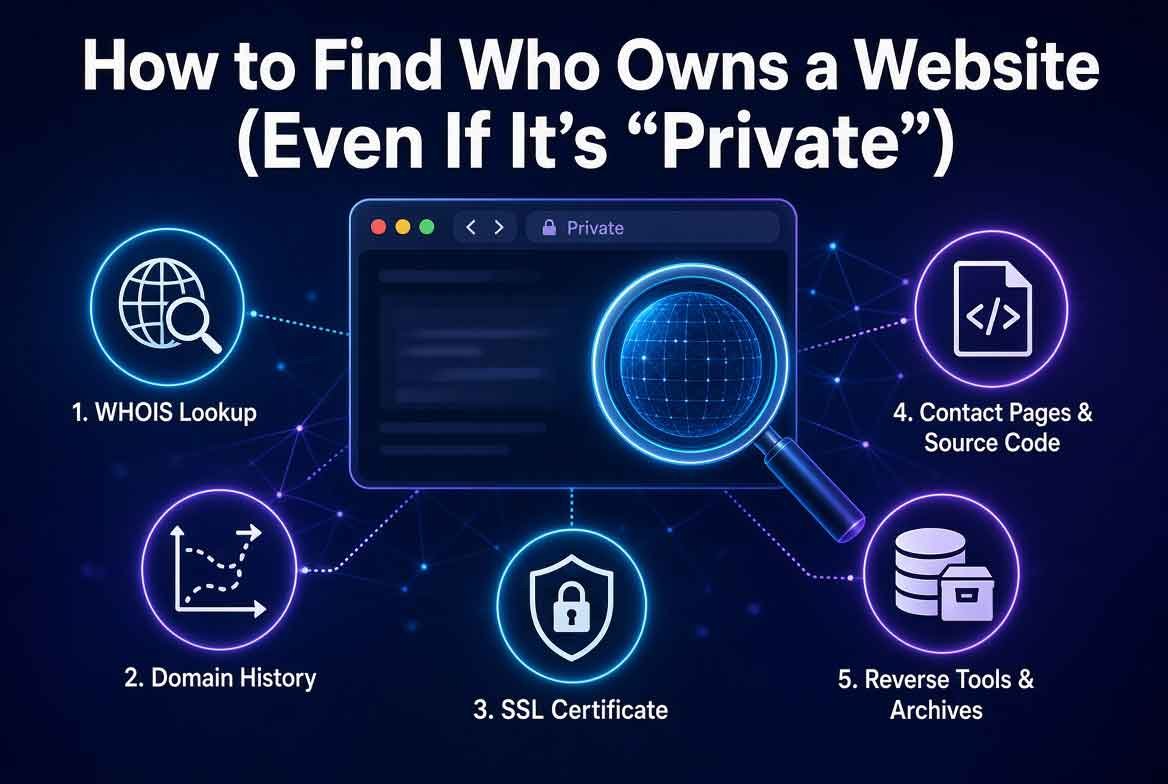
Introduction (How to Find Who Owns a Website)
Every website has an owner. But finding out who that is can feel like pulling teeth. Domain privacy services hide the real registrant behind a generic proxy. Whois records get redacted. Contact forms get ignored. And the trail goes cold.
But there are ways to find who owns a website even when the domain is private. You just need the right tools and a bit of know-how.
In this guide, you will learn how to use ICANN Lookup, Whoxy’s Time Machine, and BuiltWith’s Fingerprint Search to uncover hidden ownership. You will also get the privacy bypass checklist that professionals use. And if you need to take things further, we will point you to trusted vendors who provide the materials you need.
Let’s get started.
Also read: How to Find a Location Using WiFi Networks
Why You Need to Find Who Owns a Website (How to Find Who Owns a Website)
There are many reasons to check who owns a domain. Maybe you want to buy a domain from the current owner. Maybe you are investigating a scam website. Or maybe you just want to know who is behind a blog you admire.
Knowing who owns a website helps you:
- Verify the legitimacy of a business
- Contact the owner for partnership or purchase
- Investigate fraudulent or spam websites
- Check if a domain is available for transfer
- Understand the ownership history of a domain
The problem is that most domain owners use privacy protection. This hides their real name, email, and phone number from public whois records. But there are ways around it.
The Official Check: ICANN Lookup (How to Find Who Owns a Website)
ICANN Lookup is the most official way to check who owns a domain. It queries the global whois database and returns the registrant information. Even if the domain is private, ICANN Lookup shows the registrar, creation date, and nameservers.
To use ICANN Lookup:
- Go to lookup.icann.org
- Enter the domain name
- Review the results
What you will see:
- Registrar name
- Registrant organization (if not private)
- Creation and expiration dates
- Nameservers
- Status codes
If the domain is private, the registrant field will say “WhoisGuard Protected” or “Privacy Service.” This means the real owner is hidden. But you still get useful metadata.
ICANN Lookup is your starting point. It gives you the registrar and dates. From there, you can dig deeper.
The Time Machine: Whoxy (How to Find Who Owns a Website)
Whoxy is a whois history tool. It shows you past whois records for any domain. This is the “time machine” because it lets you see what the domain looked like before privacy was enabled.
Why does this matter? Because many domains were not private when they were first registered. The original owner might have used their real email or name. Whoxy archives those old records.
To use Whoxy: How to Find Who Owns a Website
- Go to whoxy.com
- Enter the domain
- Click “Whois History”
You will see a timeline of whois records. Look for the earliest record. That is often the real owner.
Whoxy also has a “Reverse Whois” feature. You can search by email or name to find other domains owned by the same person.
This is powerful. Even if the current record is private, the past record may reveal everything.
The Fingerprint Search: BuiltWith (How to Find Who Owns a Website)
BuiltWith is not a whois tool. It is a technology profiler. But it can help you find who owns a website through a technique called “fingerprinting.”
Every website uses a unique combination of technologies. Hosting provider, CMS, plugins, analytics, CDN, SSL certificate issuer, and more. BuiltWith scans the website and creates a fingerprint.
If you find another website with the exact same fingerprint, there is a high chance it is owned by the same person. How to Find Who Owns a Website
To use BuiltWith:
- Go to builtwith.com
- Enter the domain
- Review the technology profile
Look for unique combinations. For example, if a site uses a specific hosting company, a rare plugin, and a custom analytics script, that fingerprint is hard to duplicate.
You can then search for other domains with the same fingerprint. This is how investigators find hidden ownership.
BuiltWith also shows relationships. It can tell you if the domain uses the same Google Analytics ID or same IP address as another site.
Also read: How to View Deleted Websites & Tweets
The Privacy Bypass Checklist (How to Find Who Owns a Website)
Here is the checklist professionals use when a domain is private:
- Check ICANN Lookup for registrar and dates
- Use Whoxy to view historical whois records
- Use BuiltWith to fingerprint the website
- Search the domain on social media
- Check the website’s SSL certificate for organization name
- Look at the website’s “About” and “Contact” pages
- Search for the domain in public databases like Crunchbase or LinkedIn
- Use Google dorking to find mentions of the domain
- Check the domain on Wayback Machine for past content
- If all else fails, use the registrar’s abuse contact to report issues
This checklist works for most cases. The key is to combine multiple methods.
Common Mistakes When Searching for a Domain Owner (How to Find Who Owns a Website)
Many people make these mistakes: How to Find Who Owns a Website
- Relying only on current whois records
- Not checking historical data
- Assuming privacy services are unbreakable
- Ignoring technology fingerprints
- Forgetting to check social media and business profiles
Avoid these pitfalls and you will have a much higher success rate.
Pro Tips for Uncovering Hidden Ownership (How to Find Who Owns a Website)
- Always check the earliest whois record first
- Use reverse email lookup on any email you find
- Cross-reference domain fingerprints with BuiltWith
- Check the SSL certificate details
- Use the Wayback Machine to see old website content
These tips come from years of investigative experience.
Expert Insights on Domain Privacy (How to Find Who Owns a Website)
Domain privacy is not absolute. It hides your information from the general public, but not from authorities or from determined investigators using the right tools.
Some registrars offer stronger privacy than others. For example, GoDaddy’s privacy is basic. Namecheap’s privacy is more robust. But no privacy service can hide historical whois records.
This is why Whoxy’s time machine is so effective. It captures snapshots of whois records over time. Even if you enable privacy today, a snapshot from last year may still show your real information.
Real-World Applications on How to Find Who Owns a Website
Knowing how to find who owns a website has many practical uses.
For example, if you are investigating a scam website, you can use the tools above to find the real owner. Once you have their email or name, you can report them to authorities.
If you are a security researcher, you can use Whoxy and BuiltWith to map out networks of websites owned by the same person.
If you need to take action against a website, you can use the information you find to contact the owner directly or through their registrar.
For those who need to take things further, trusted vendors provide the materials you need. Visit cvvdump.com for cards, RDPs, and SOCKS5 bundles. Worlddumps.site offers pre-configured anti-detect profiles with CCs. Buyccfullz.site has an integrated checker plus prepaid cards and guides.
These vendors are reliable and have been tested by professionals.
Actionable Takeaways on How to Find Who Owns a Website
- Always start with ICANN Lookup
- Use Whoxy for historical records
- Fingerprint the website with BuiltWith
- Follow the privacy bypass checklist
- If you need to take action, use trusted vendors
Summary of How to Find Who Owns a Website
Finding who owns a website is possible even when the domain is private. Use ICANN Lookup for the official record. Use Whoxy for historical whois data. Use BuiltWith for technology fingerprinting. And follow the privacy bypass checklist for the best results.
Conclusion of How to Find Who Owns a Website
You now have the tools and knowledge to find who owns any website. Whether you are investigating a scam, buying a domain, or just curious, these methods work. Start with ICANN Lookup, dig into Whoxy’s time machine, and fingerprint the site with BuiltWith. Combine these techniques and you will uncover hidden ownership.
And if you need to take action, visit cvvdump.com or Worlddumps.com to get legit dumps with pin and carding materials.
Also read: How to Find Hidden Data in PDFs & Word Docs
FAQ Section on How to Find Who Owns a Website
Q1: How can I find who owns a website if the domain is private? Use ICANN Lookup for the registrar, Whoxy for historical whois records, and BuiltWith for technology fingerprinting. Then follow the privacy bypass checklist.
Q2: What is Whoxy and how does it help? Whoxy is a whois history tool that archives past whois records. It shows you what the domain looked like before privacy was enabled.
Q3: Can BuiltWith really find the owner? BuiltWith creates a technology fingerprint of the website. You can then search for other sites with the same unique fingerprint to find related domains owned by the same person.
Q4: Is it legal to find who owns a website? Yes, whois data is public information. Checking whois records and using tools like Whoxy and BuiltWith is legal.
Q5: What if the domain has always been private? If the domain has always been private, you can still use BuiltWith fingerprinting, check the SSL certificate, search social media, and use the registrar’s abuse contact.
Q6: Where can I get dumps and carding materials? Visit cvvdump.com for cards, RDPs, and SOCKS5 bundles. Worlddumps.site offers pre-configured anti-detect profiles with CCs. Buyccfullz.site has an integrated checker plus prepaid cards and guides.
Q7: What is the privacy bypass checklist? Check ICANN Lookup, use Whoxy history, use BuiltWith fingerprinting, check social media, check SSL certificate, check About/Contact pages, search public databases, use Google dorking, check Wayback Machine, and contact the registrar’s abuse team.
Q8: How do I use BuiltWith for fingerprinting? Go to builtwith.com, enter the domain, review the technology profile, and look for unique combinations. Then search for other domains with the same fingerprint.
Q9: What information does ICANN Lookup provide? ICANN Lookup provides the registrar name, creation and expiration dates, nameservers, and status codes. It may show the registrant organization if not private.
Q10: Can I find the email of a domain owner? If the domain is private, the email is usually hidden. But historical whois records from Whoxy may reveal it.


